Integration with the Wazzup service lets you connect WhatsApp (business accounts via the official API or regular accounts via the unofficial API), personal Telegram accounts, and Instagram. Let's take a closer look at the setup process and how to handle conversations from these channels.
- Instructions for connecting Instagram directly to Deskie are here.
- Instructions for connecting Telegram via a bot (the official method) are here.
- An article covering other ways to connect the WhatsApp channel to Deskie is here.
Before you connect
1. If you haven't used Wazzup before, register and connect the channels you need:
2. Log in to your Deskie administrator account.
Connecting on the Wazzup side
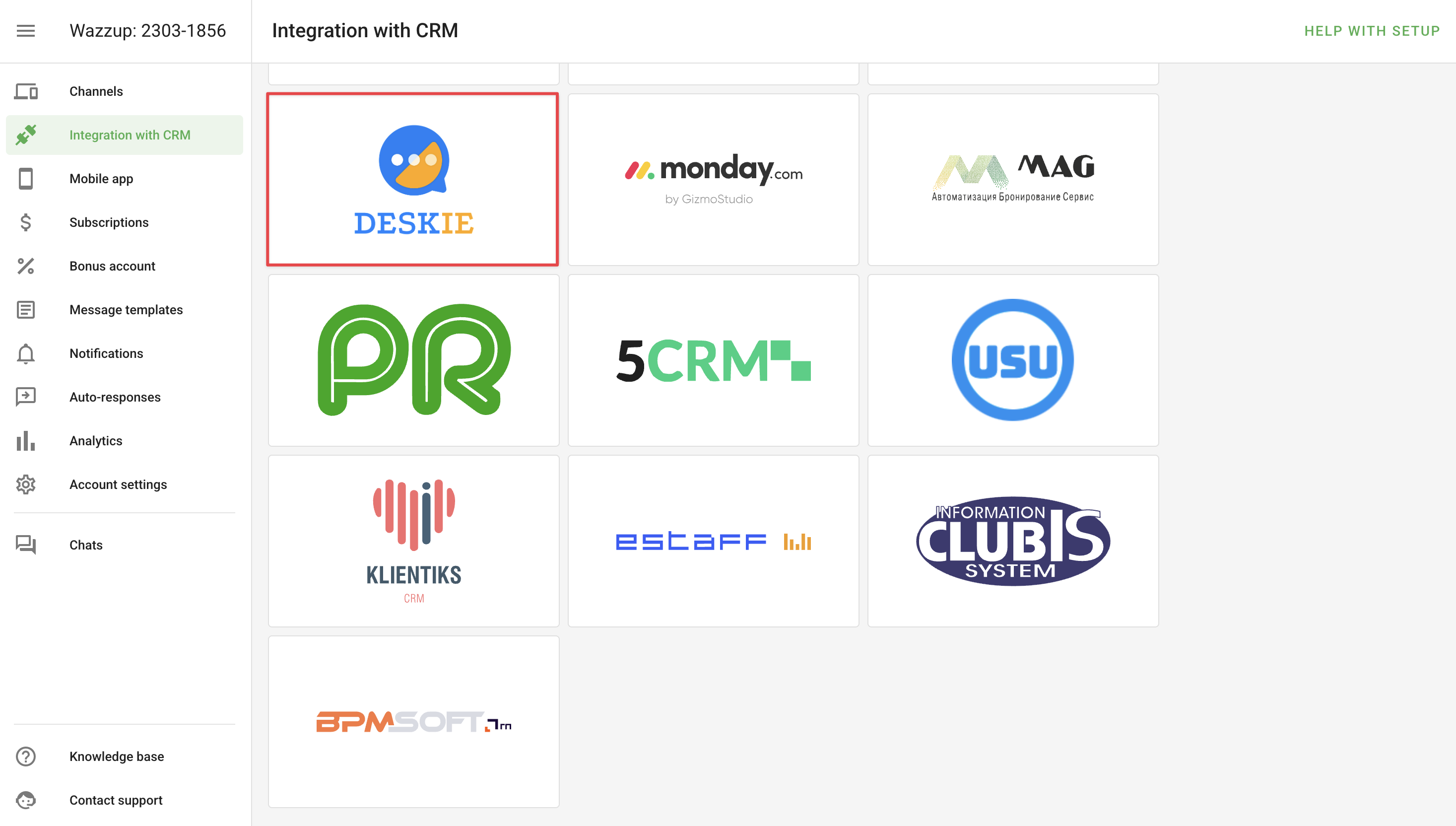
3. Go to Settings → Integration with CRM → select Deskie:
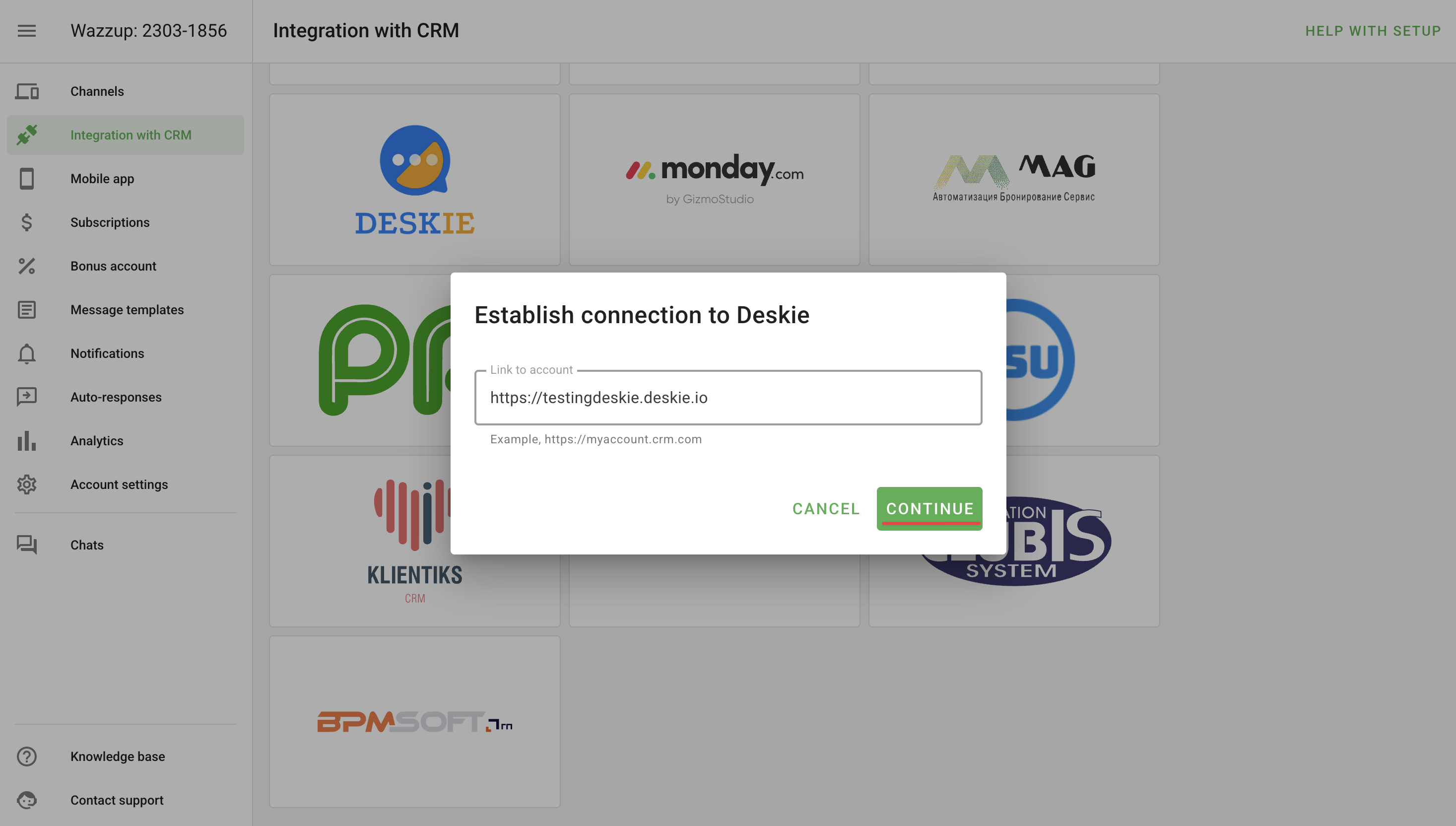
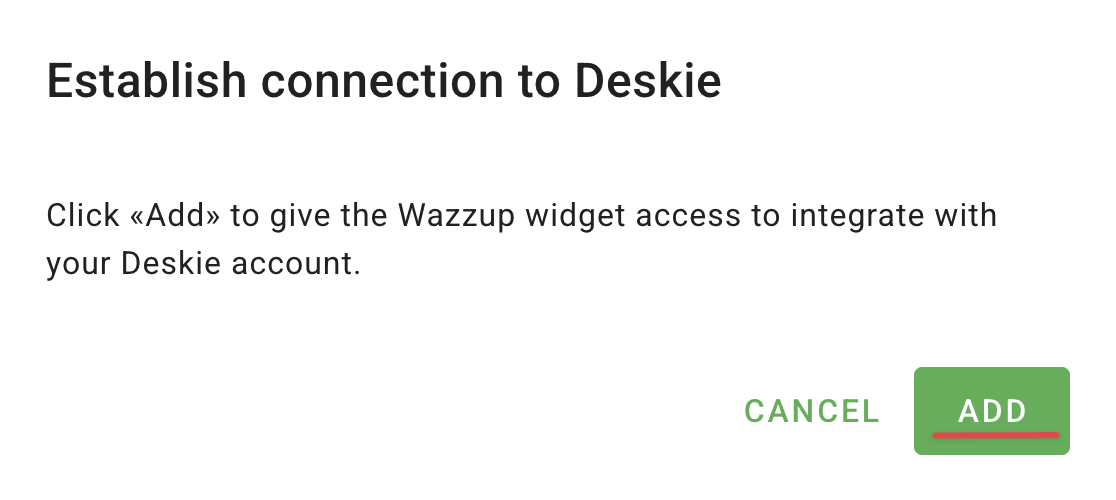
4. In the window that opens, enter your Deskie account address in the format https://[your subdomain].deskie.io/. Click "Continue" and then "Connect":
Alternative connection method
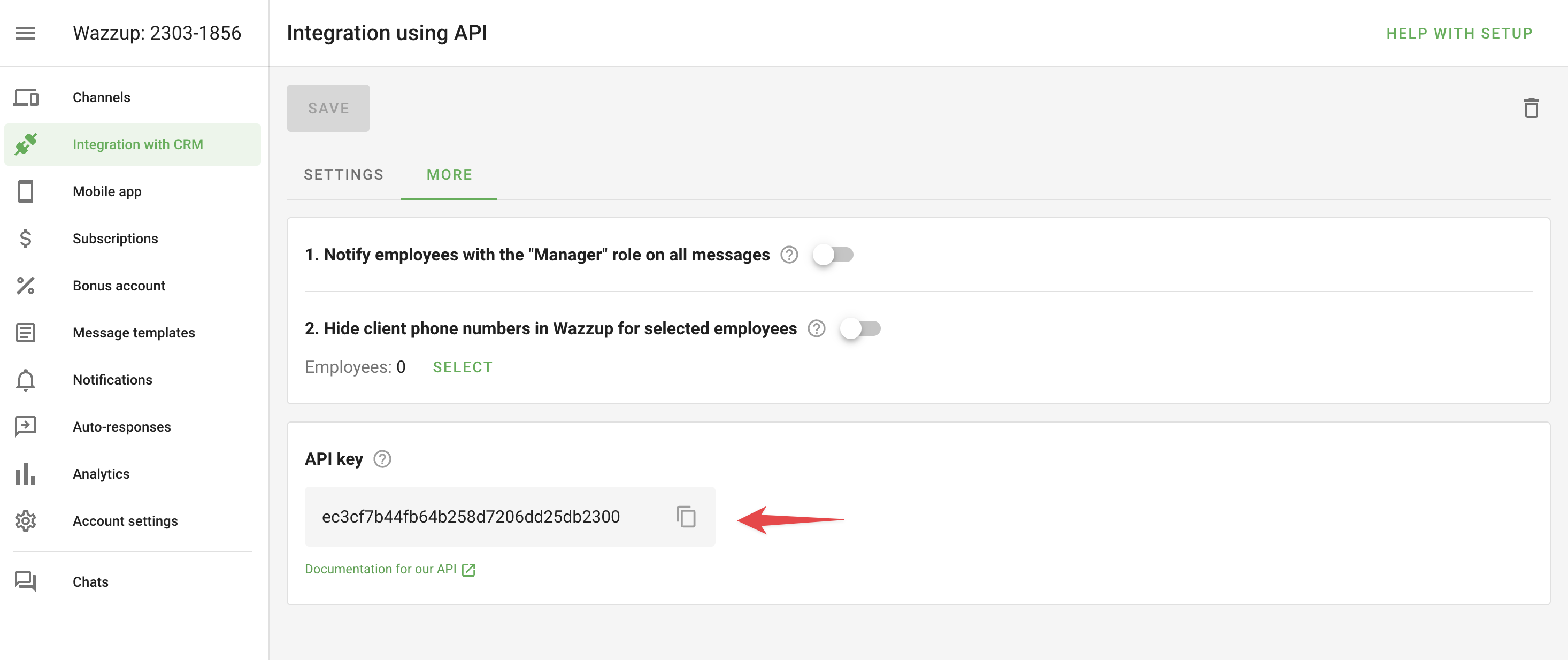
a) In Wazzup, go to Settings — Integration with CRM — API. Then, on the "More" tab, copy the API key.
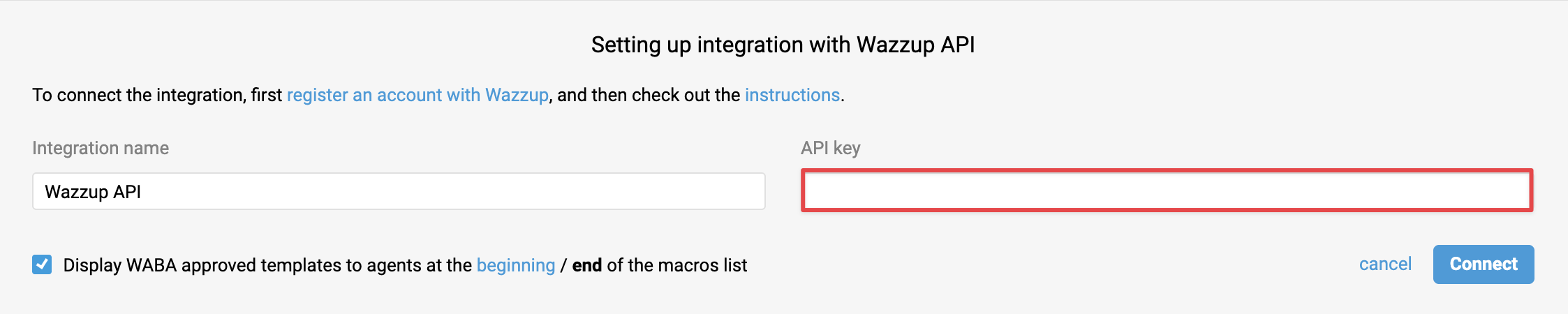
b) Enter this key in the integration setup card in Deskie ("Settings" section — "Integrations" subsection — WhatsApp block):
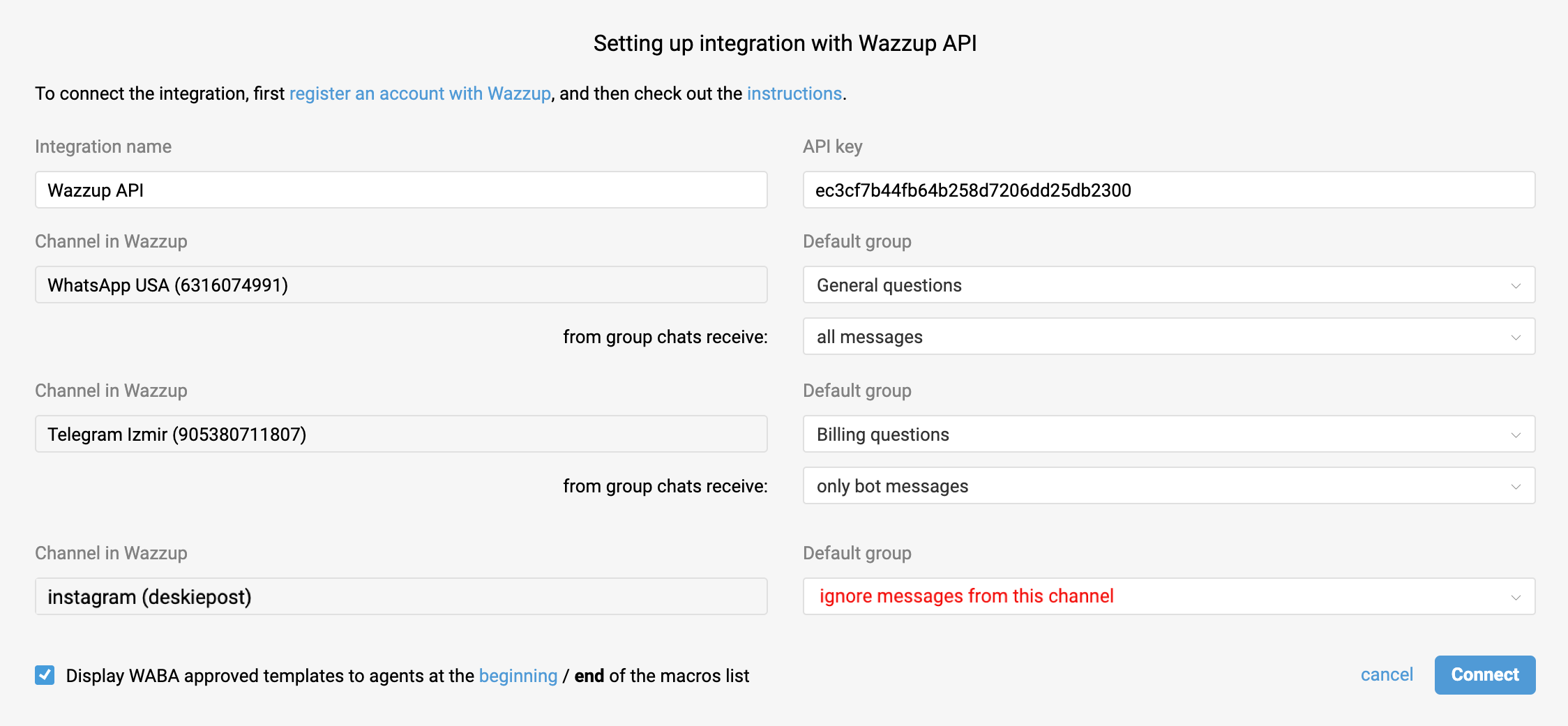
c) After adding the API key to the integration form, click anywhere on the page to remove focus from the "API key" field — a list of channels connected to Wazzup will appear, letting you choose a default group for each channel, or skip creating cases from specific channels connected in Wazzup. Learn more
Settings on the Deskie side
5. If everything's set up correctly, you'll be redirected to the Wazzup integration setup form in Deskie. The integration name and API key fields will be pre-filled. We'll also show a list of all your active Wazzup channels. All that's left is to specify the default group each channel's cases should go to, or choose "ignore messages from this channel" if you don't want to process them in Deskie.
What messenger messages look like in Deskie
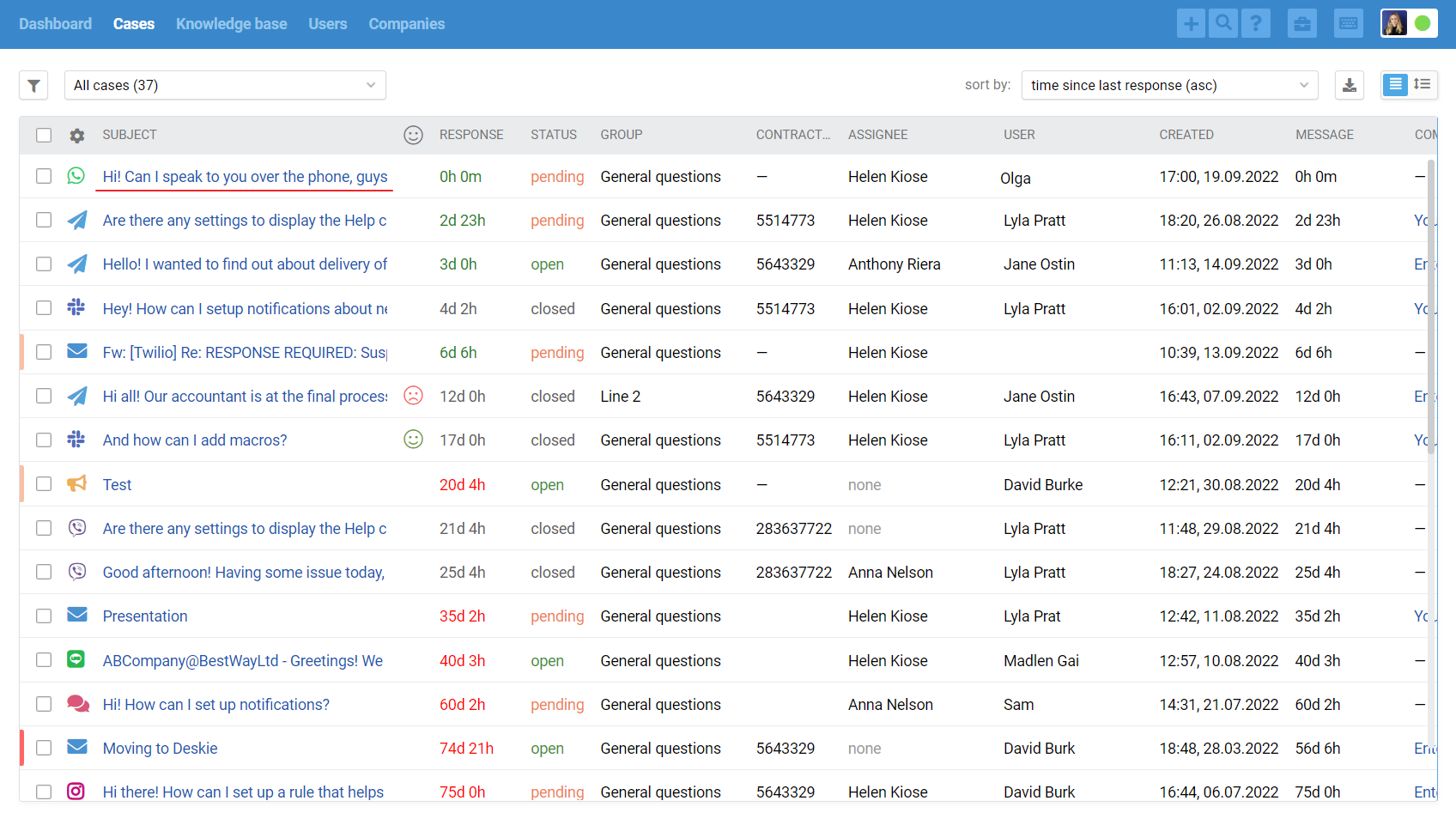
6. The all cases list only shows cases with asynchronous communication — each side replies whenever they can. Real-time chats are shown separately and handled through a dedicated interface.
When a new chat comes in (WhatsApp, Telegram, Viber, Slack, Facebook messages, Instagram Direct, live chat), a green icon appears in the top-right corner of the agent account. Incoming chats and new replies in chats show up there:
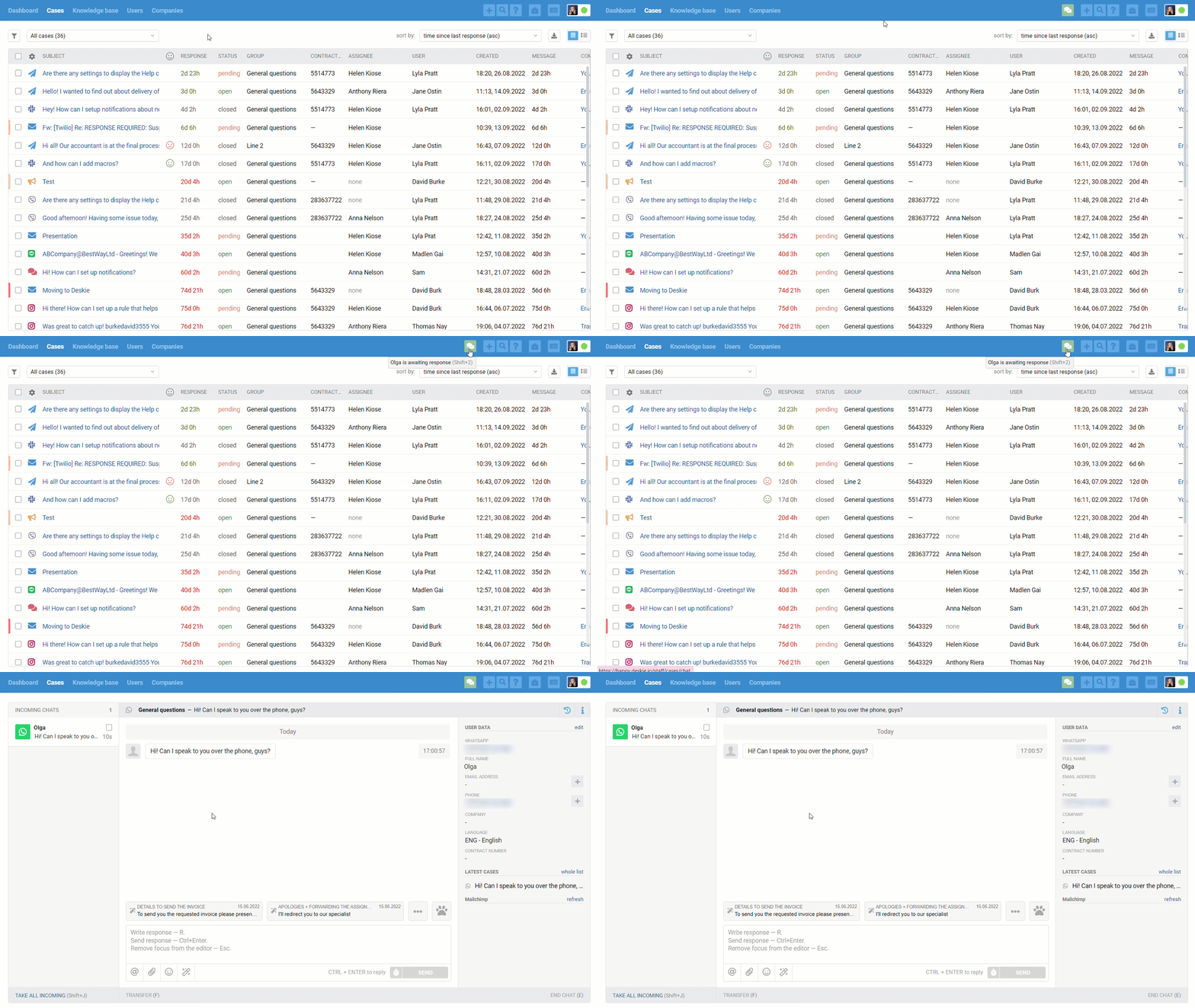
Chats also appear in the all cases list, but only once they're ended — either when an agent manually closes the chat, or after 10 minutes (the default value) of inactivity from both sides:
We deliberately separate synchronous and asynchronous communication, because providing top-notch support means accounting for the specifics and expectations customers have, depending on the type of channel they're using.
For example, a user emailing you is fine waiting a few hours for a reply, but in chats, even 5 minutes can feel like forever to them. If you don't take this into account and treat email and chat cases the same way, some customers will end up with an unpleasant experience.
Learn more about using chats in our video guide on chats.
WhatsApp channel specifics
7. Through Wazzup, you can connect either a WhatsApp business account or a personal number via the unofficial API to Deskie. Each option has its pros and cons — we cover the main differences here.
8. The phone number linked to the user's WhatsApp account is pulled into the "WhatsApp" field in their data, and is also automatically added to the "Phone" field — so if your account already has cases from a user with that phone number, you'll immediately see their case history across other channels.
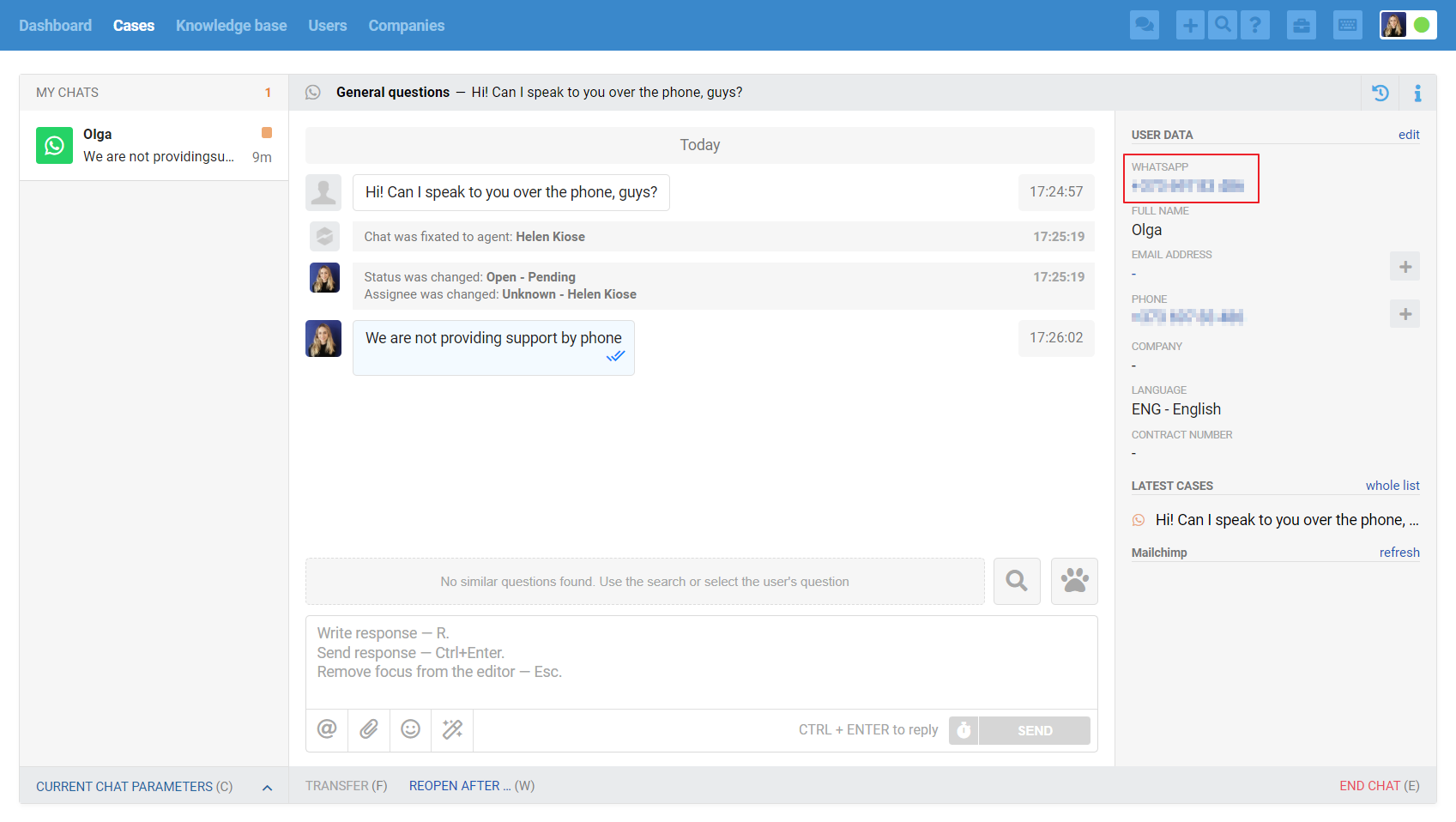
9. If you reply from the phone itself or directly from Wazzup at some point, those messages will also show up in Deskie, marked "sent from phone or via Wazzup".
10. If a customer calls you on WhatsApp, a message about it will appear in the conversation.

If you'd like, you can set up a rule based on this message's text to send an auto-reply letting the user know you can't answer WhatsApp calls and that they should send a text or voice message instead.
11. Wazzup passes along messages from WhatsApp group chats, but does not pass along who specifically wrote in the group chat — so in Deskie, all messages from a group chat will show up as coming from the group, not from a specific user.
12. You can start a conversation in WhatsApp yourself. The details depend on whether you've connected a personal number or a business account. Learn more
13. WhatsApp Business has a 24-hour "service window": starting from the customer's last message, you always have 24 hours to send a reply. If more than 24 hours pass since the customer's last message, WhatsApp will block your reply, and you'll only be able to send the customer a paid template message pre-approved by WhatsApp. Learn more
Telegram channel specifics (personal number)
14. Through the Wazzup integration, you can connect a personal Telegram number to Deskie via the unofficial API.
The main differences between the official and unofficial Telegram API are described here.
Instructions for connecting a Telegram bot that your customers send messages to are here.
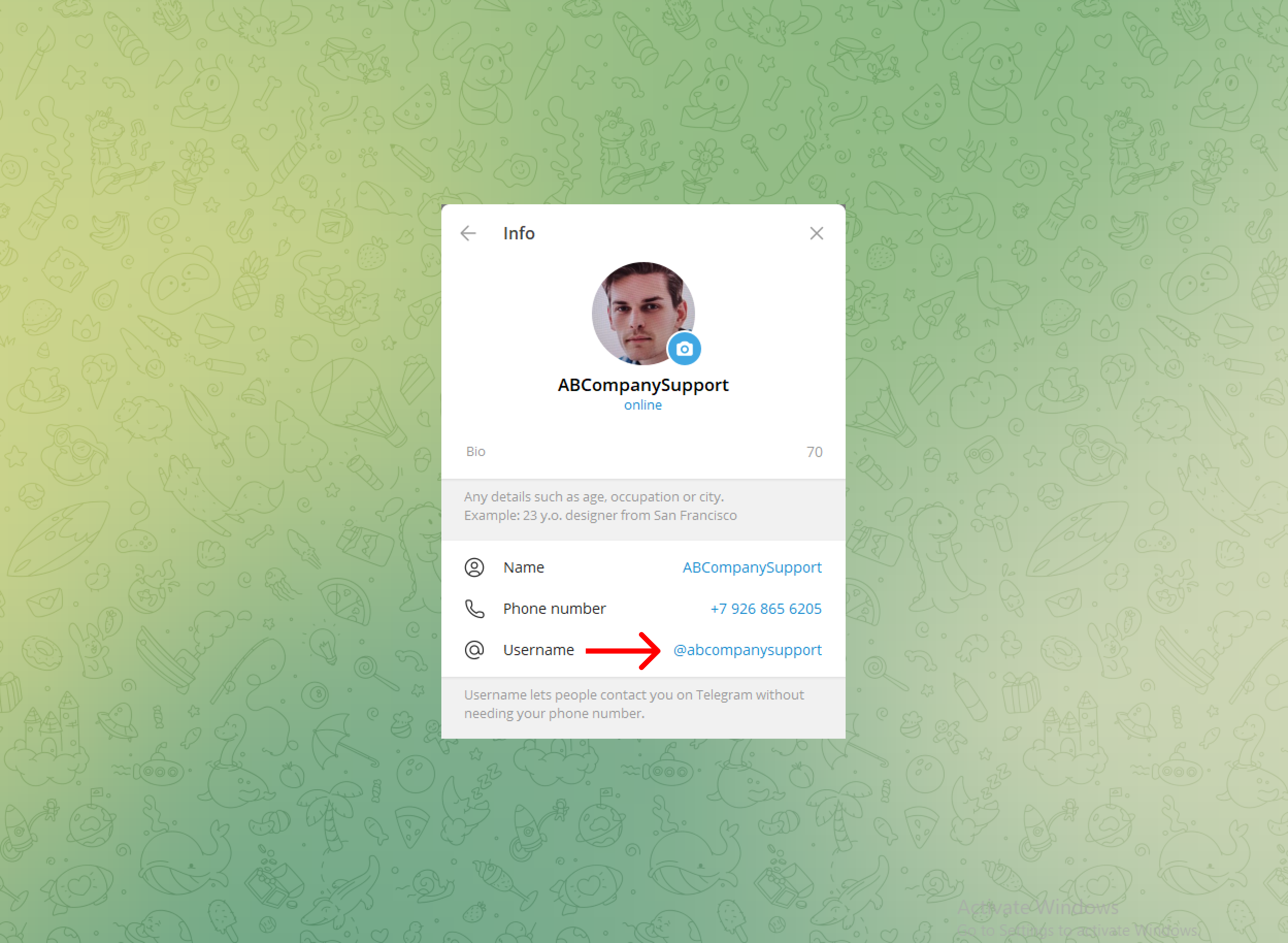
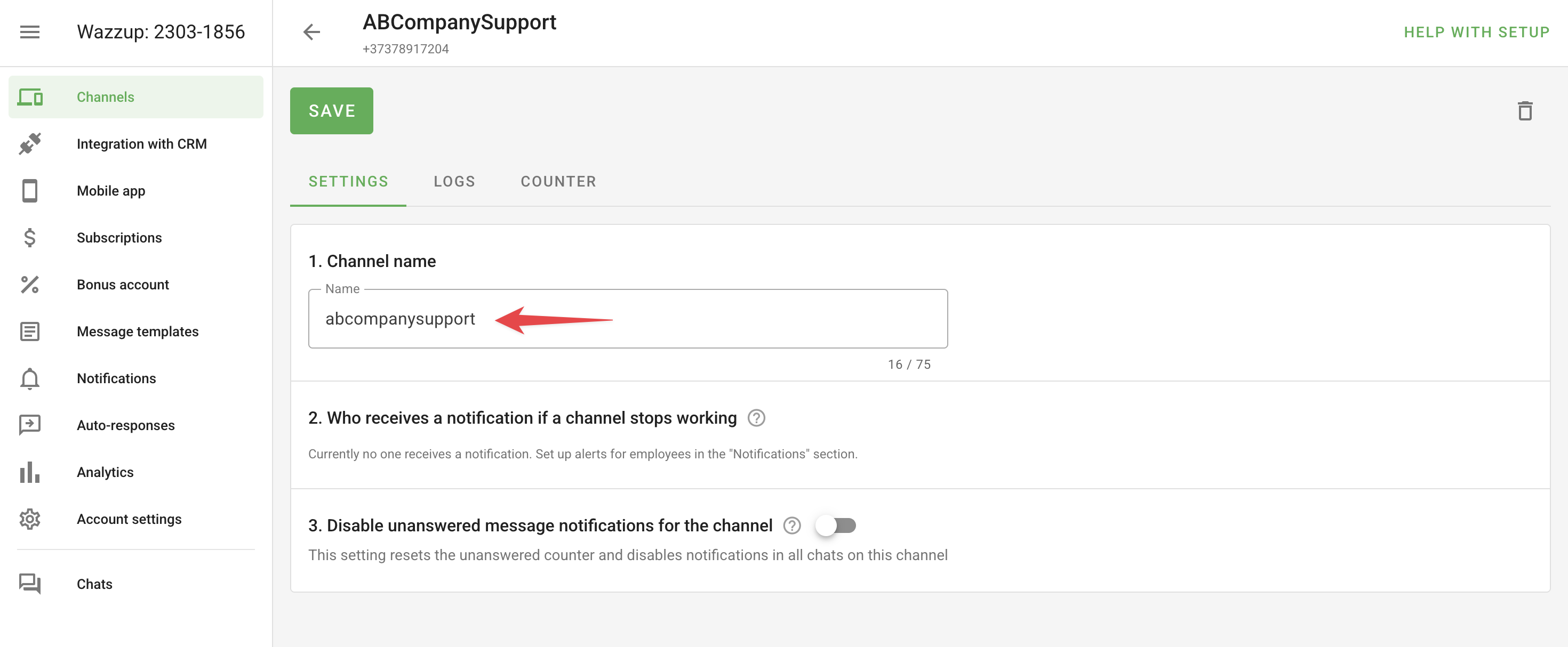
15. When setting up the integration for Telegram accounts, you'll need to choose the logic for receiving messages from group chats: all of them, or only the ones where you're mentioned with @.
Mentions in groups
To receive only messages that mention your account from group chats in Wazzup, set your Telegram account's username as the account name.

⚠️ Wazzup doesn't pass along the sender's identity for group chat messages to third-party services — meaning all group chat messages will come in under the group's name rather than a specific user's.
Supergroups
Wazzup doesn't support supergroups by default, though a group can automatically convert into a supergroup in some cases. Check Wazzup's recommendations and limitations, and contact their support if you need this enabled.
16. When you connect a personal number, you can start conversations in Telegram yourself. Learn more
Instagram channel specifics
17. Deskie receives comments on Instagram posts, direct messages (DMs) to your Instagram account, and story replies (Stories). When someone replies to a story, we add a screenshot attachment to their message so it's easier to see what it's about.
DMs and story replies create chats; comments on posts create asynchronous cases.
18. If you reply from the mobile app or from Wazzup at some point, those messages will also show up in Deskie, marked "sent from phone or via Wazzup".
Comments on Instagram posts
19. Cases for post comments are created per user. If several people comment on a post, a separate case is created for each user. The case includes a link to the post the user commented on.
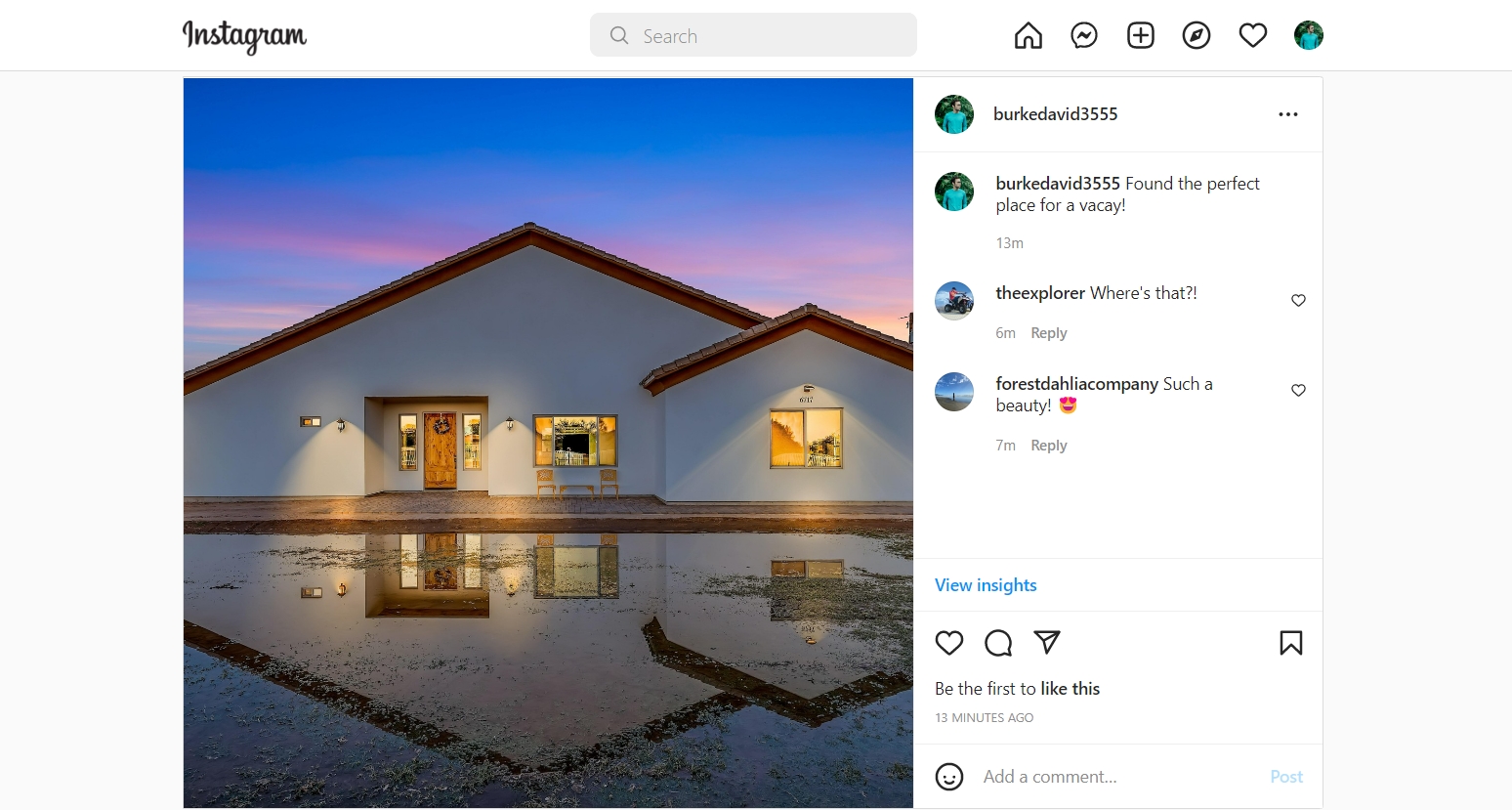
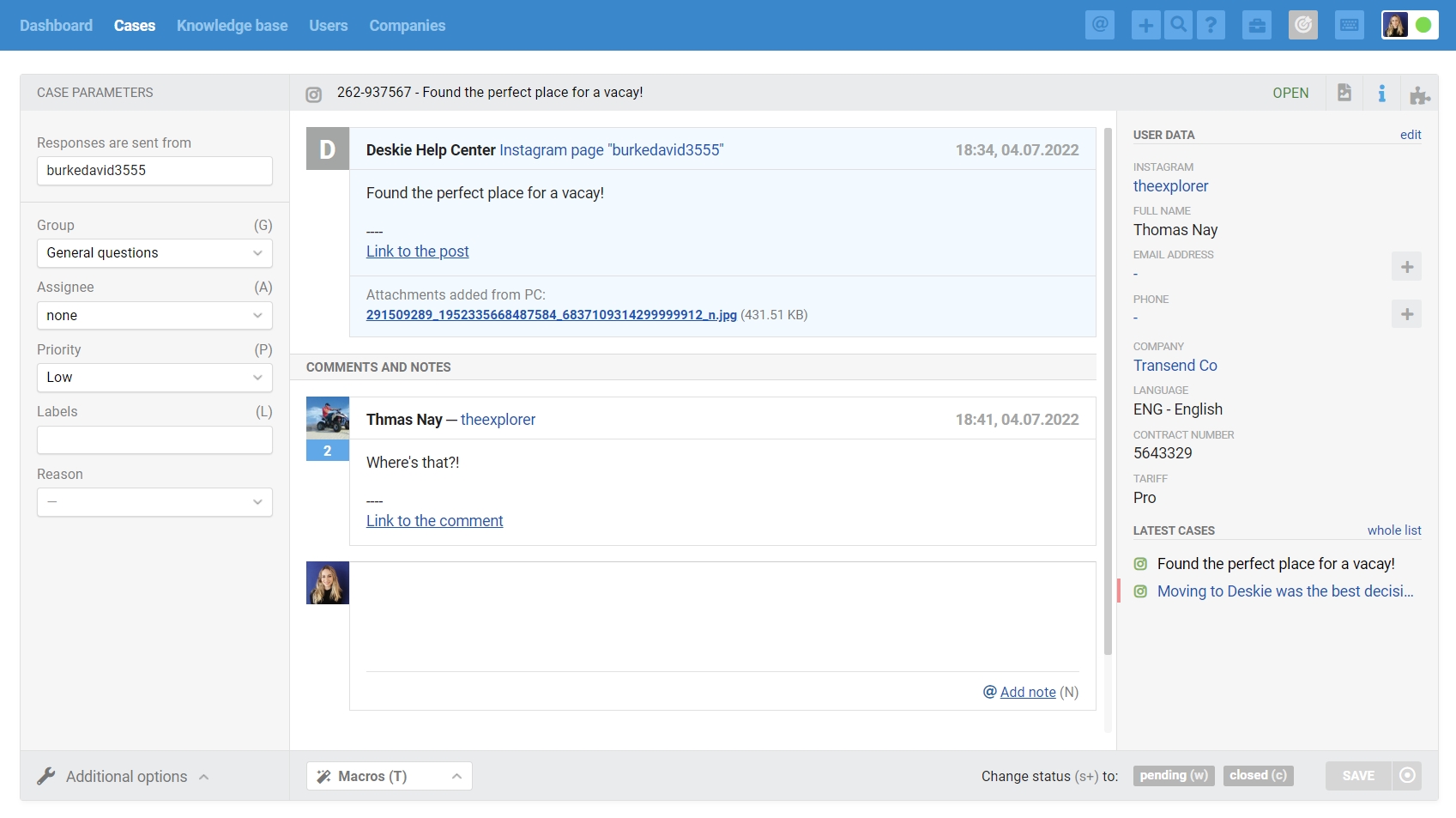
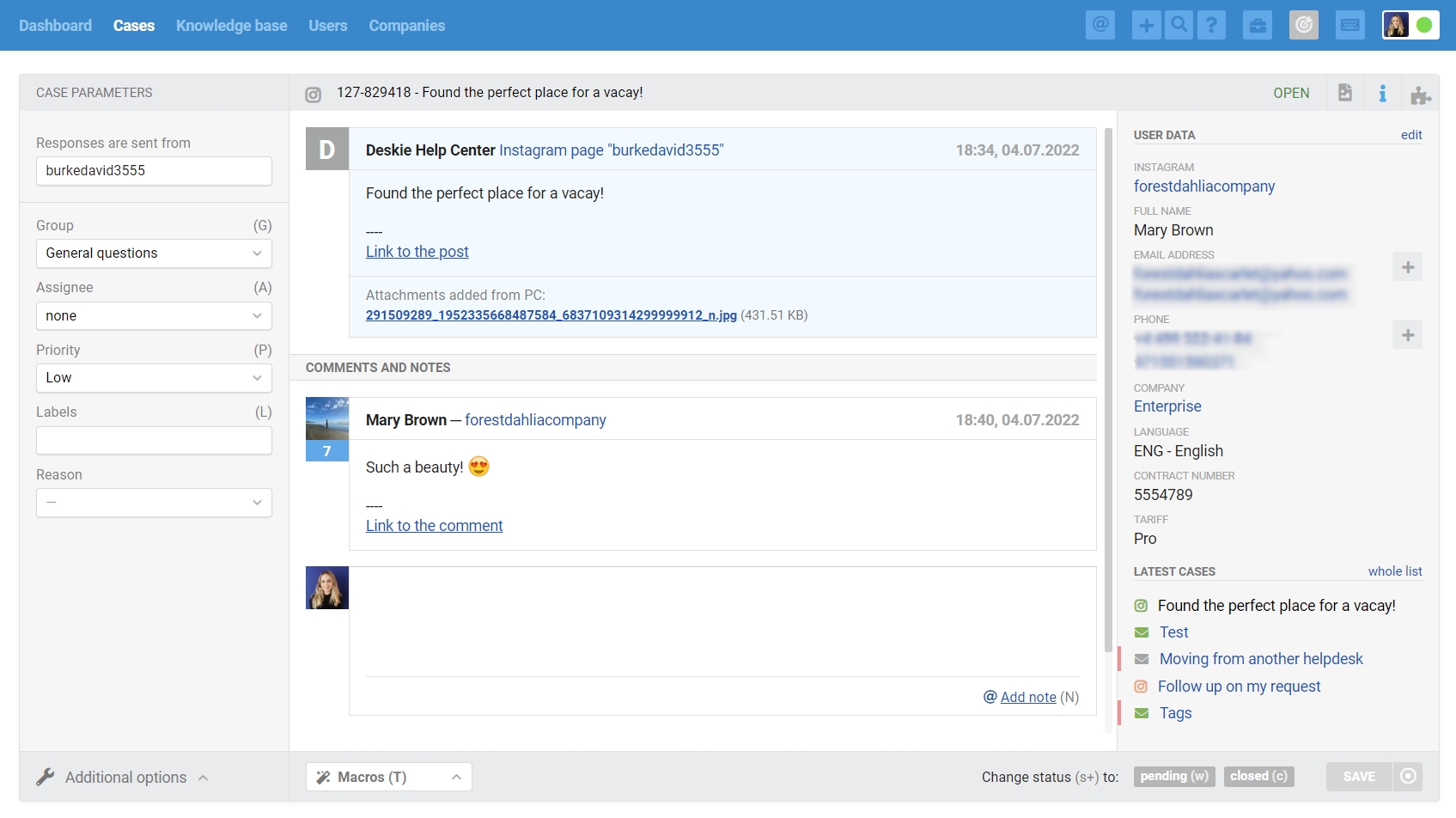
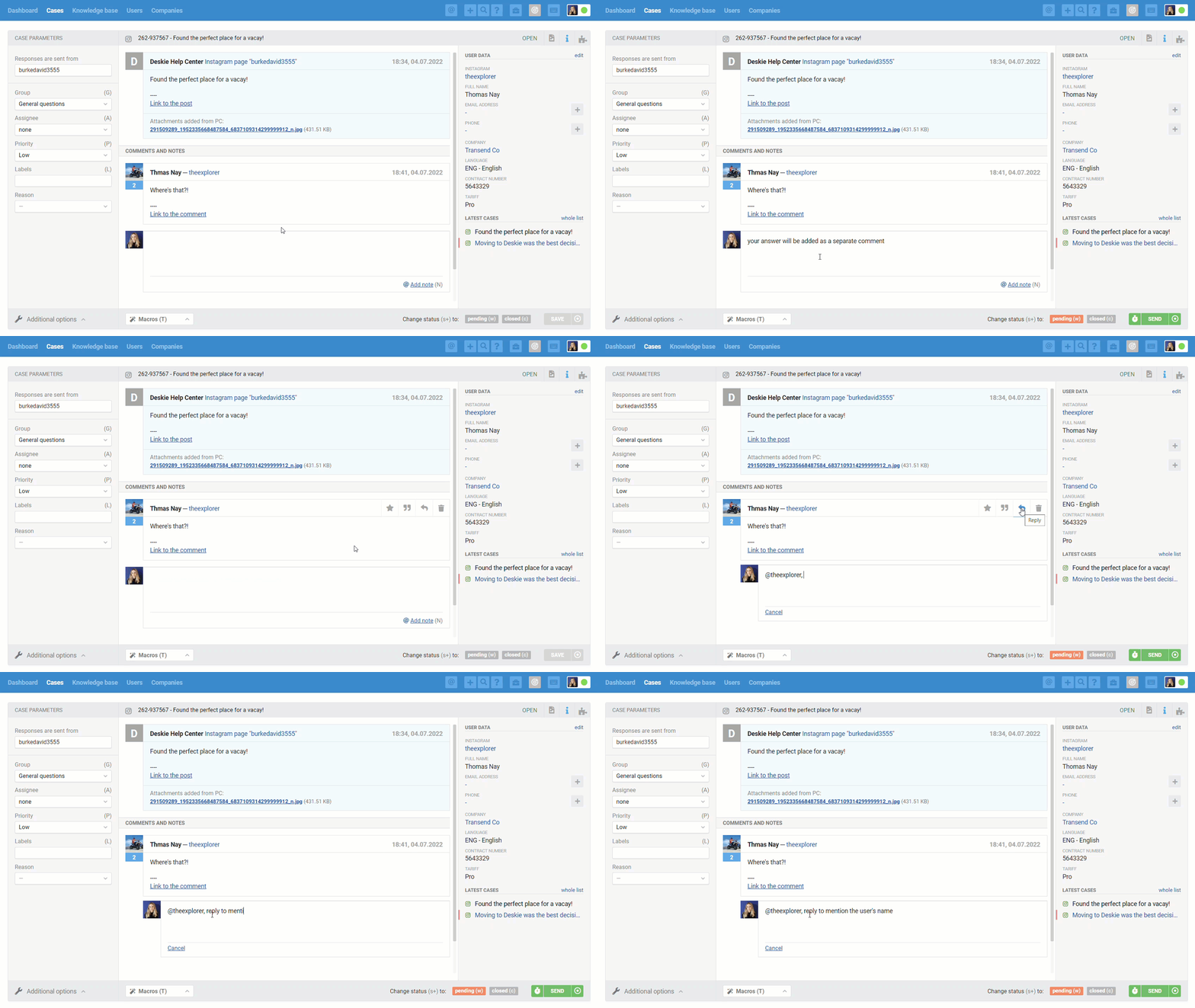
When replying to post comments, you can either just add a reply so your message is added as a reply to the user's comment, or hover over the user's comment and click the "reply" icon to add a reply that mentions the user: