
Before you start configuring, we recommend checking out our article on the overall logic of automation rules in Deskie or watching the quick video guide on rules.
Sometimes a customer reaches out to support and, before anyone has a chance to reply, keeps sending more messages — adding details or nudging you because their issue is urgent.
Agents typically process cases starting with those that have been waiting the longest, sorting by time since last response. So when a customer follows up without getting a response, they're actually pushing themselves further down the queue — not up. The case ends up waiting even longer.
Customers don't know this, of course. If you want to catch these situations, you can set up a set of rules to handle them automatically.
Task
Raise the priority of cases where a customer has sent two or more messages in a row with no agent reply yet.
Types of rules you need
- Rules for new cases — to add a "no reply" label to new customer cases;
- Rules for updated cases — to:
– add a "no reply" label when a customer reactivates a previously closed chat;
– add "still no reply" and "SOS, no reply" labels and raise priority if the customer keeps writing without getting a response;
– remove the "no reply", "still no reply", and "SOS, no reply" labels once an agent replies or manually closes a chat where no reply is needed.
Rule examples
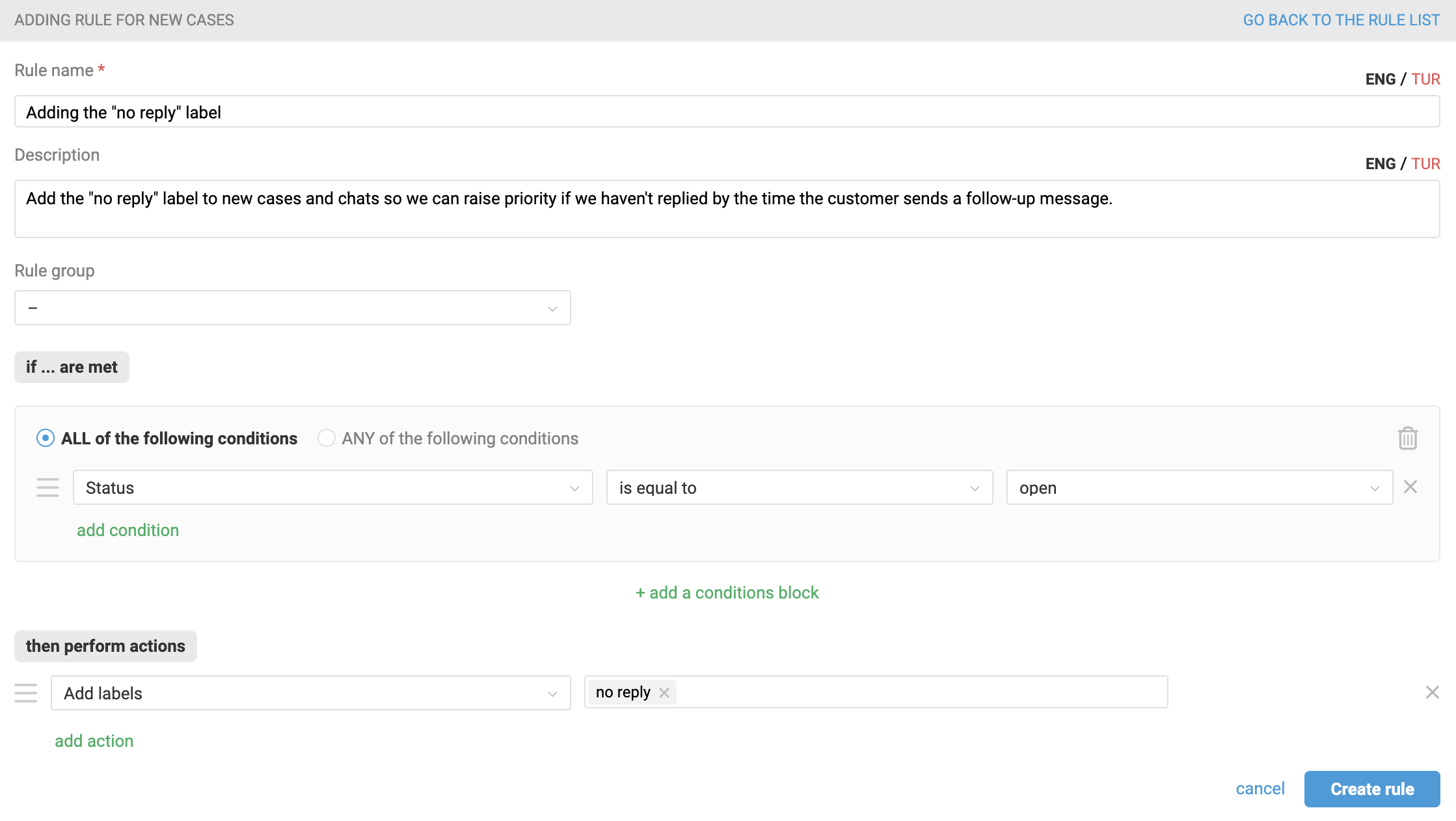
1. Create a rule for new cases that tracks all new customer cases across all channels and adds the "no reply" label.
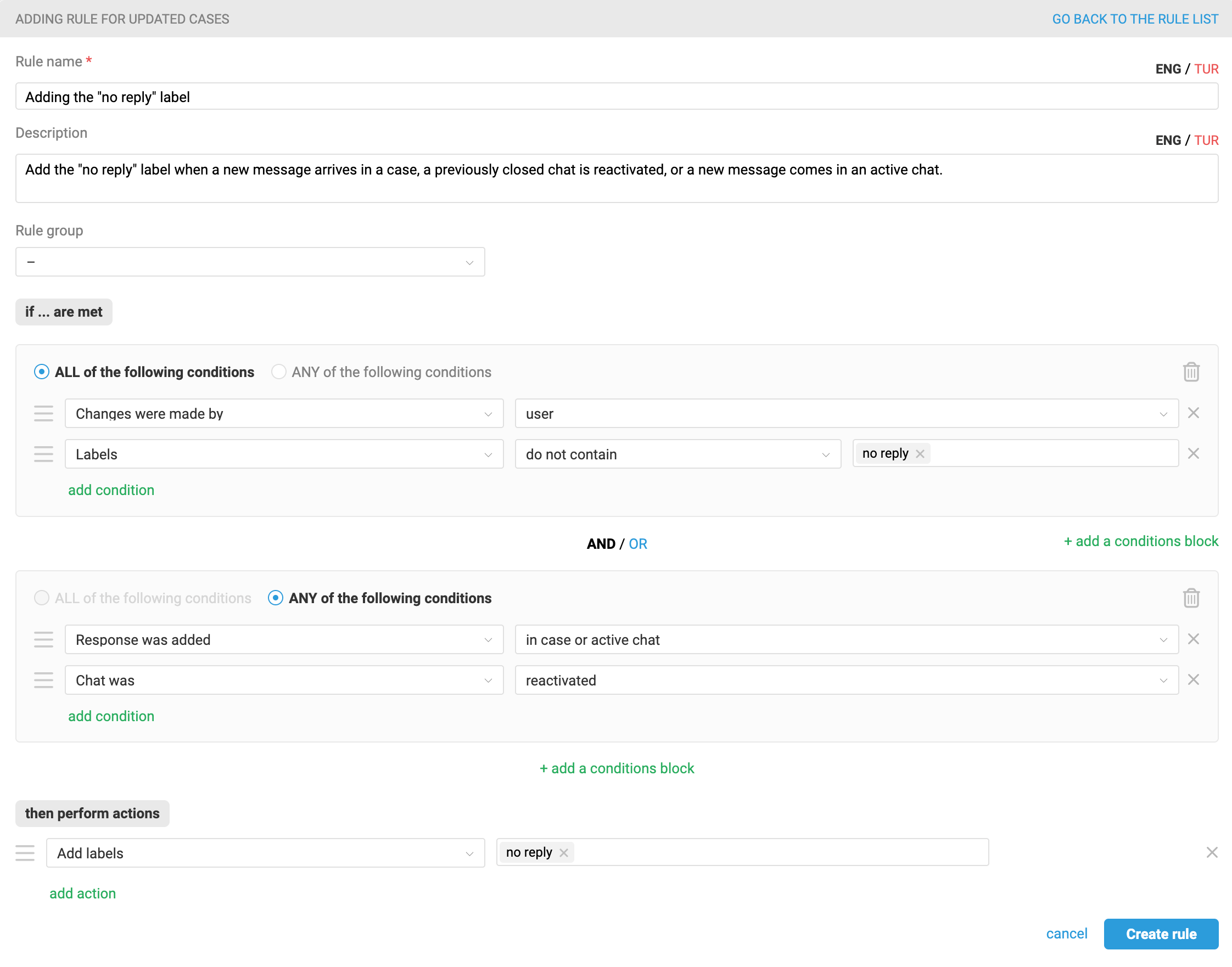
2. Create a rule for updated cases that adds the "no reply" label when a new message arrives in a case, a previously closed chat is reactivated, or a new message comes in an active chat.
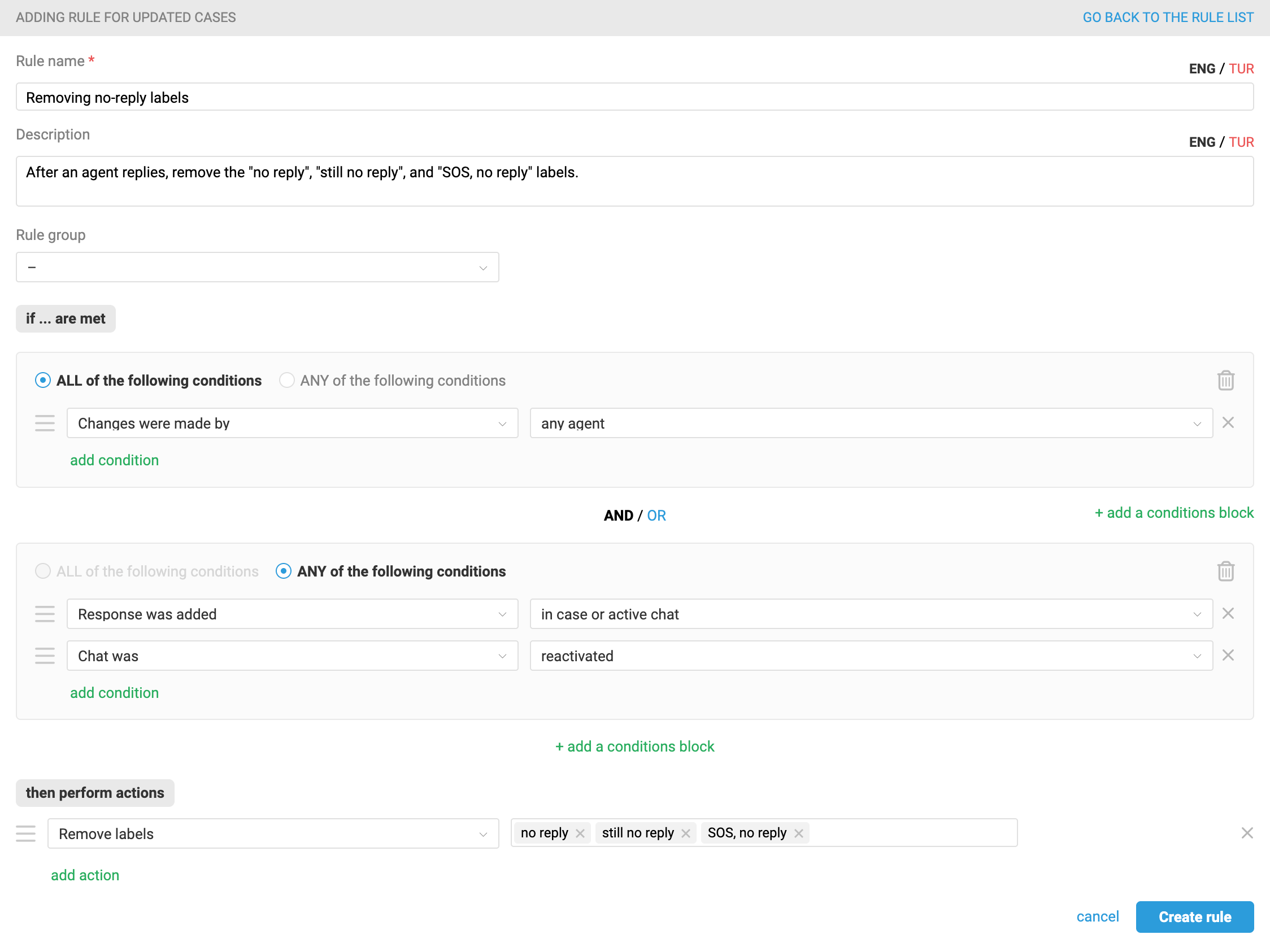
3. Create a rule for updated cases that removes the "no reply", "still no reply", and "SOS, no reply" labels when an agent sends a reply in a case or chat.
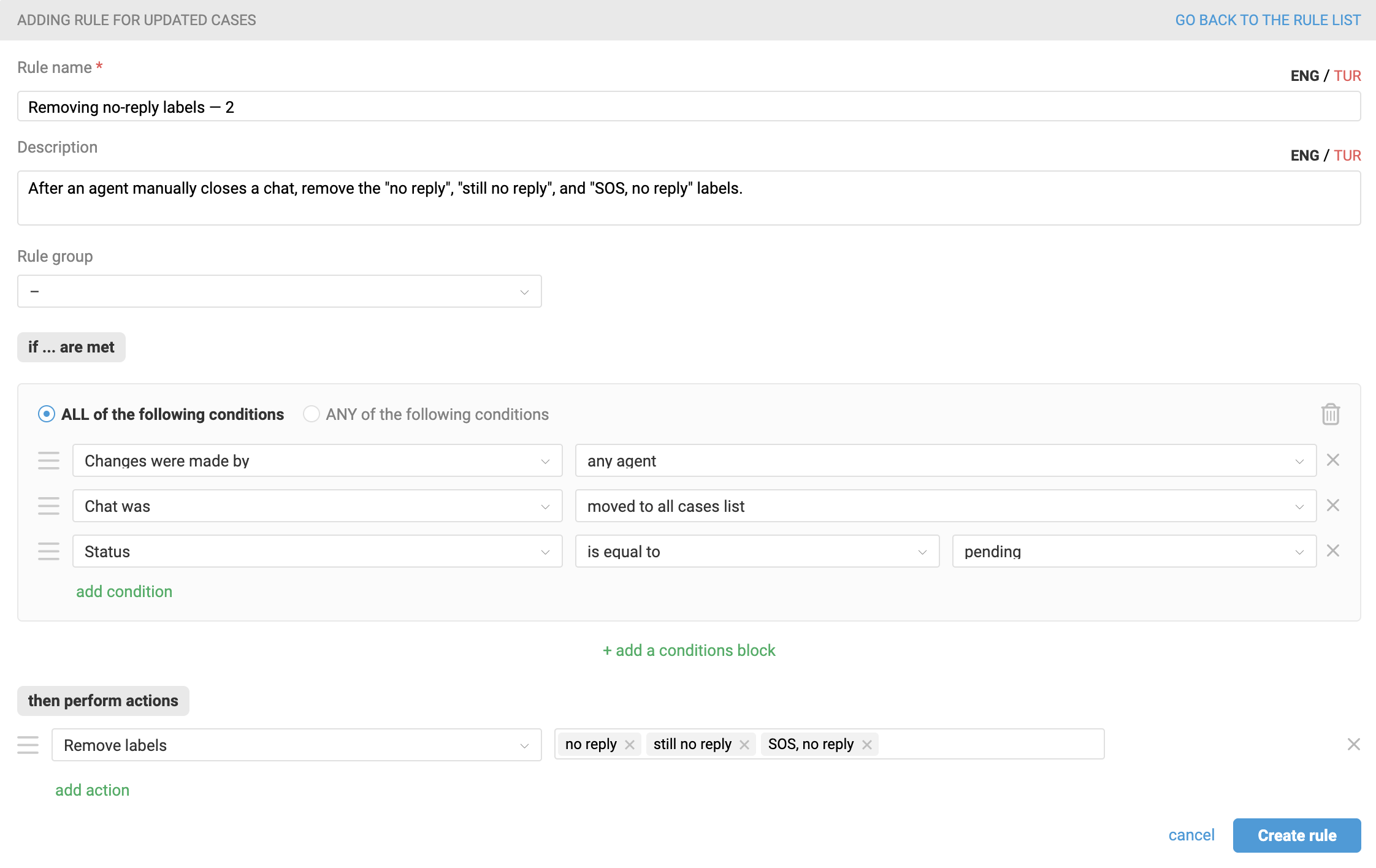
4. Create a rule for updated cases that removes the "no reply", "still no reply", and "SOS, no reply" labels when an agent manually closes a chat and sets the status to pending. This covers situations where the customer simply said "thanks" — the chat can be closed without a reply.
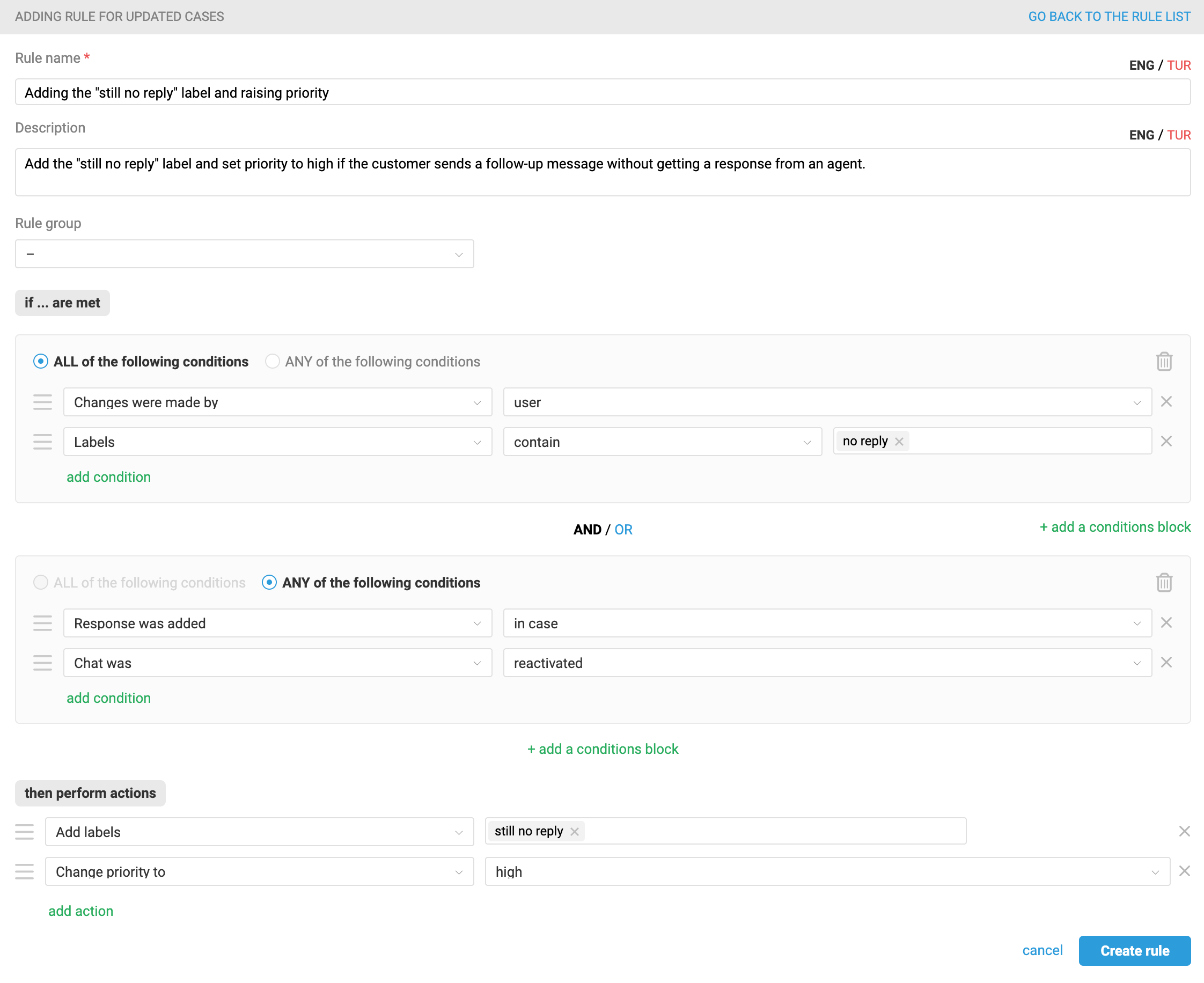
5. Create a rule for updated cases that sets the "still no reply" label and raises priority to high when a customer sends a new message or reactivates a chat that already has the "no reply" label.
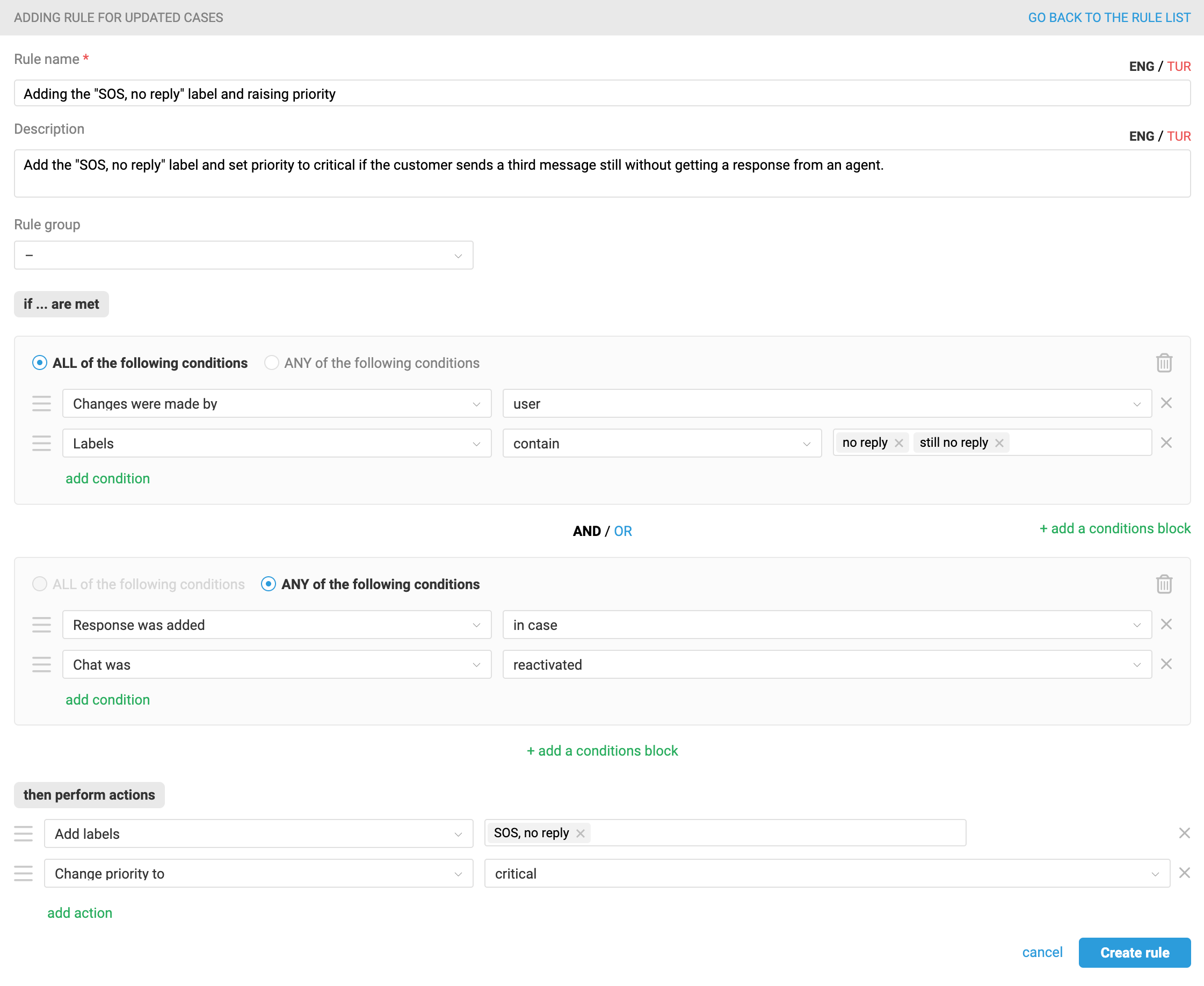
6. Create a rule for updated cases that sets the "SOS, no reply" label and raises priority to critical when a customer sends a new message or reactivates a chat that already has the "still no reply" label.
Note: To apply this logic only to specific cases — for a particular group or channel, for example — add an extra condition to the rules above.
