
The lists of variables in the pop-up windows accessed via the "variables" link have been updated everywhere they are used: in the actions within macros and rules, as well as in the settings for the agent signature and email notification.
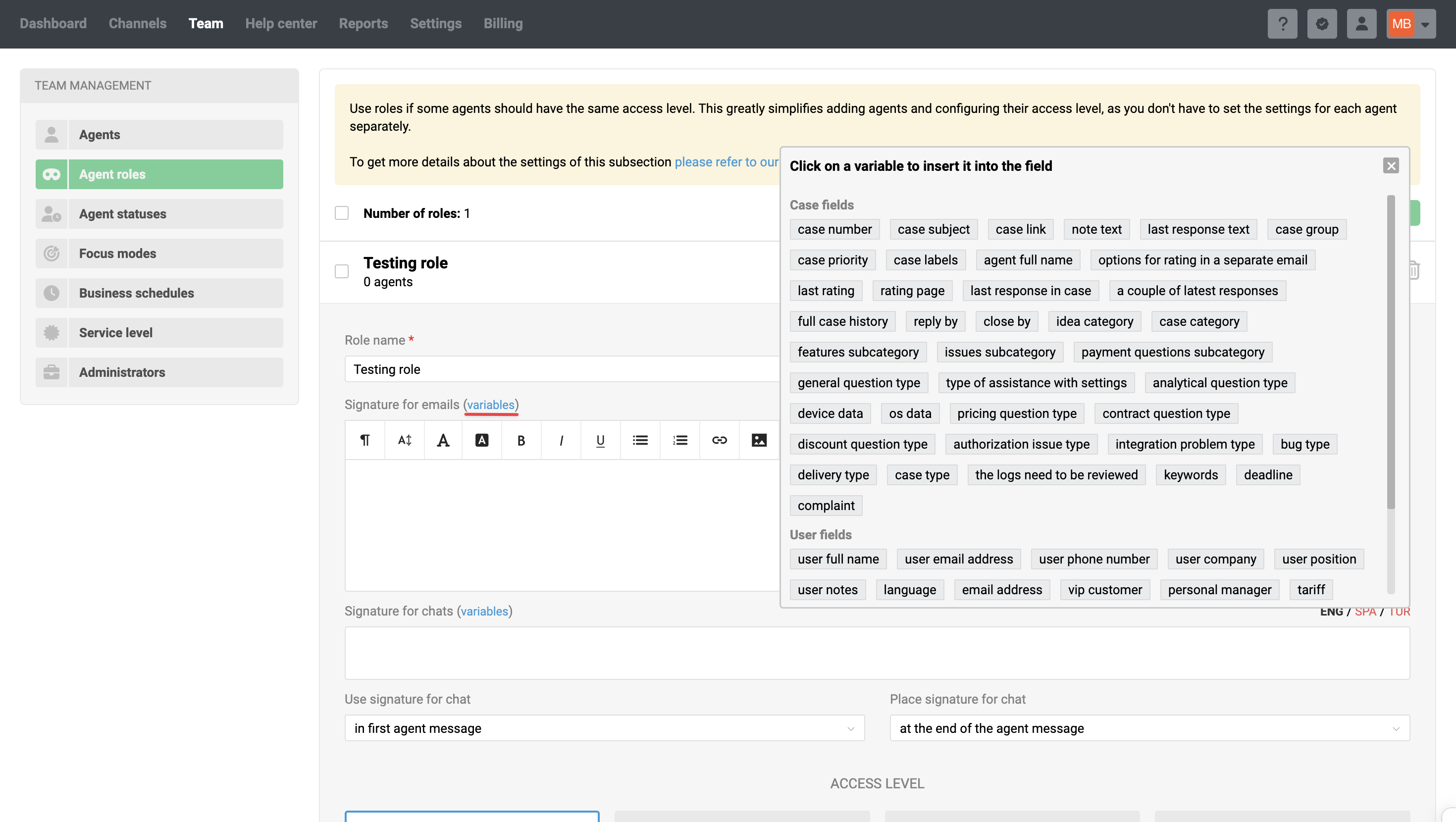
We've updated the variable lists and made them easier to work with:
- removed outdated and duplicate variables;
- added new variables;
- included custom fields in all lists;
- added separators to distinguish between different field types: case fields, user fields, and company fields;
- the pop-up window now has a fixed size with a scroll bar for easier navigation.
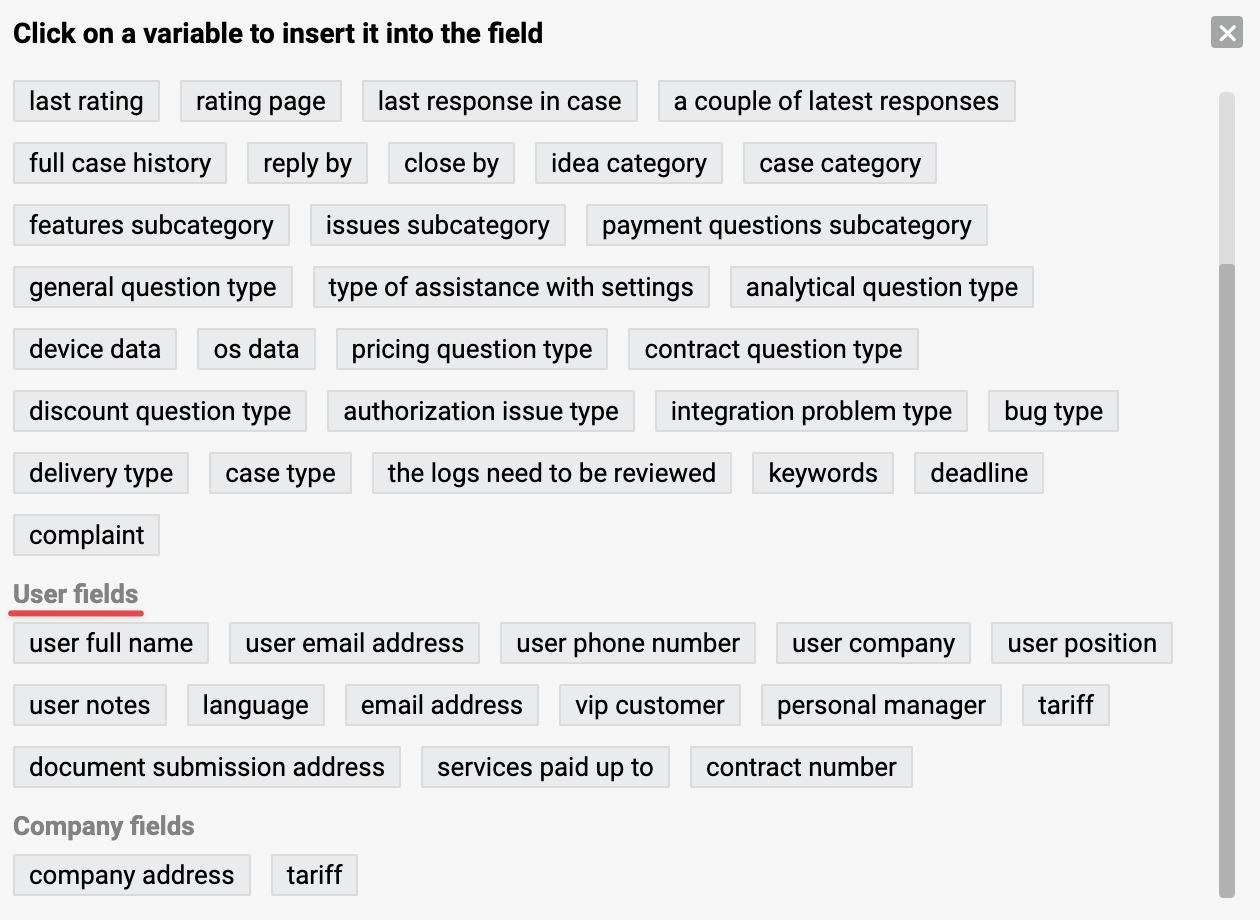
If you already have a rule set up to execute a webhook with a standard request, you will see the updated list of variables when you open the rule page.
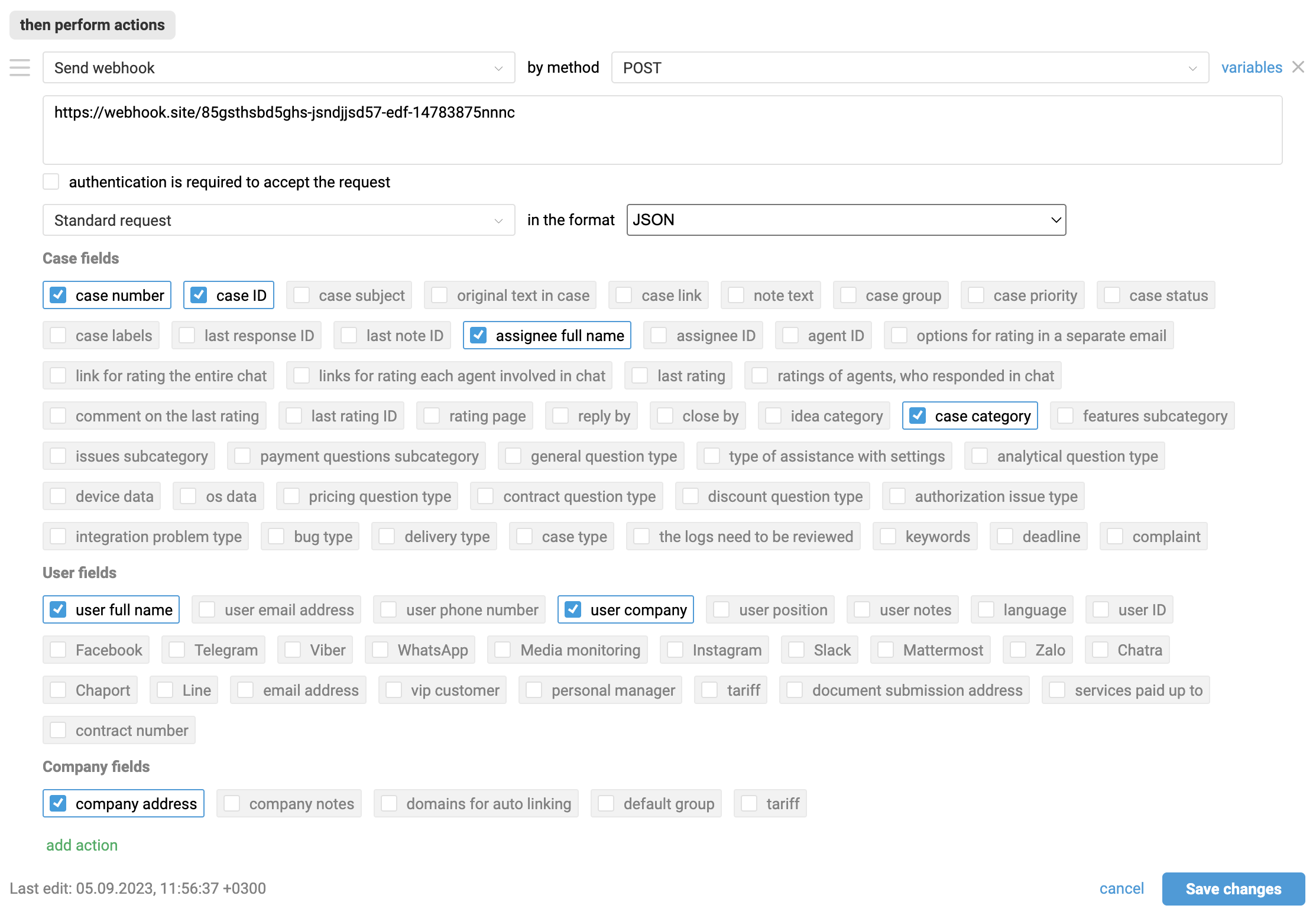
To pass new variables, you need to select them and save the changes in the rule.
List of available variables
CASE FIELDS
| Variable | Description |
|---|---|
| case_number | Case number |
| case_id | nternal case ID in the system |
| case_subject | Case subject |
| case_description | Text of the first message in the case |
| case_url | Link to the case (in email notification, includes a token for passwordless access to the personal customer account) |
| note_text | Text of the most recent note |
| last_message | Text of the last response (from the customer or agent) |
| case_group | Group in the case parameters |
| case_priority | Case priority |
| case_status | Current case status |
| case_tags | Labels added to the case |
| last_message_id | ID of the last response |
| last_note_id | ID of the last note |
| assigned_full_name | Current assignee's full name |
staff_full_name |
Full name of the agent who sent the last message |
| staff_id | Current assignee's ID |
| last_staff_id | ID of the agent who sent the last message |
| ratings_options_email_buttons | Buttons for selecting a rating in a standalone email |
| rating_full_chat_link | Link to rate the entire chat |
| rating_chat_replies_links | Links to rate each response in chat |
| current_rating | Current (most recent) rating |
| chat_staff_ratings | Rating each agent in a chat |
| rating_comment | Comment left along with the rating |
| rating_id | Last rating ID |
| rating_url | Link to the rating page |
| previous_message | The previous response in the case |
| previous_messages | The two most recent repsponses in the case |
| full_case_history | Full conversation history |
| support_center_name | Help center name |
| reply_by | Reply by deadline |
| close_by | Close by deadline |
| category | Idea category |
| custom_field_[x] | Case custom field (replace [x] with your custom field ID) |
USER FIELDS
| Variable | Description |
|---|---|
| user_full_name | User's full name |
| user_email | User's email |
| user_phone | User's phone number |
| user_company | User's company |
| user_position | User's job title |
| user_notes | Notes in the user's profile |
| user_lang | User's language |
| user_id | User's ID in Deskie |
| password_phrase | Password/passphrase in email notification for passwordless access to the customer personal account |
| user_fb | User's Facebook profile |
| user_telegram | User's Telegram profile |
| user_viber | User's Viber profile |
| user_whatsapp | User's WhatsApp profile |
| user_media_monitoring | User's YouScan profile |
| user_instagram | User's Instagram profile |
| user_slack | User's Slack profile |
| user_mm | User's Mattermost profile |
| user_zalo | User's Zalo profile |
| user_chatra | User's Chatra profile |
| user_chaport | User's Chaport profile |
| user_line | User's Line profile |
| user_cch[x] | User's profile in a custom channel (replace [x] with your custom channel ID) |
| custom_field_[x] | User custom field (replace [x] with your custom field ID) |
COMPANY FIELDS
| Variable | Description |
|---|---|
| company_address | Company address |
| company_notes | Notes about the company |
| company_domains | Company domains for auto linking |
company_default_group |
|
custom_field_[x] |
Company custom field (replace [x] with your custom field ID) |